Leveraging OIDC to Integrate IAM Roles for secure AWS Deployments in CircleCI and GitHub Actions Pipelines
Hello everyone,
In this technical blog we will be learning about how to leverage IAM Roles for your deployment pipelines.
When we deploy app to AWS using CI tools using CircleCI or GitHub Actions, these pipelines need permission to access AWS resources. Instead of using static AWS access keys, may pose risk if they are leaked, as those are long lived keys.
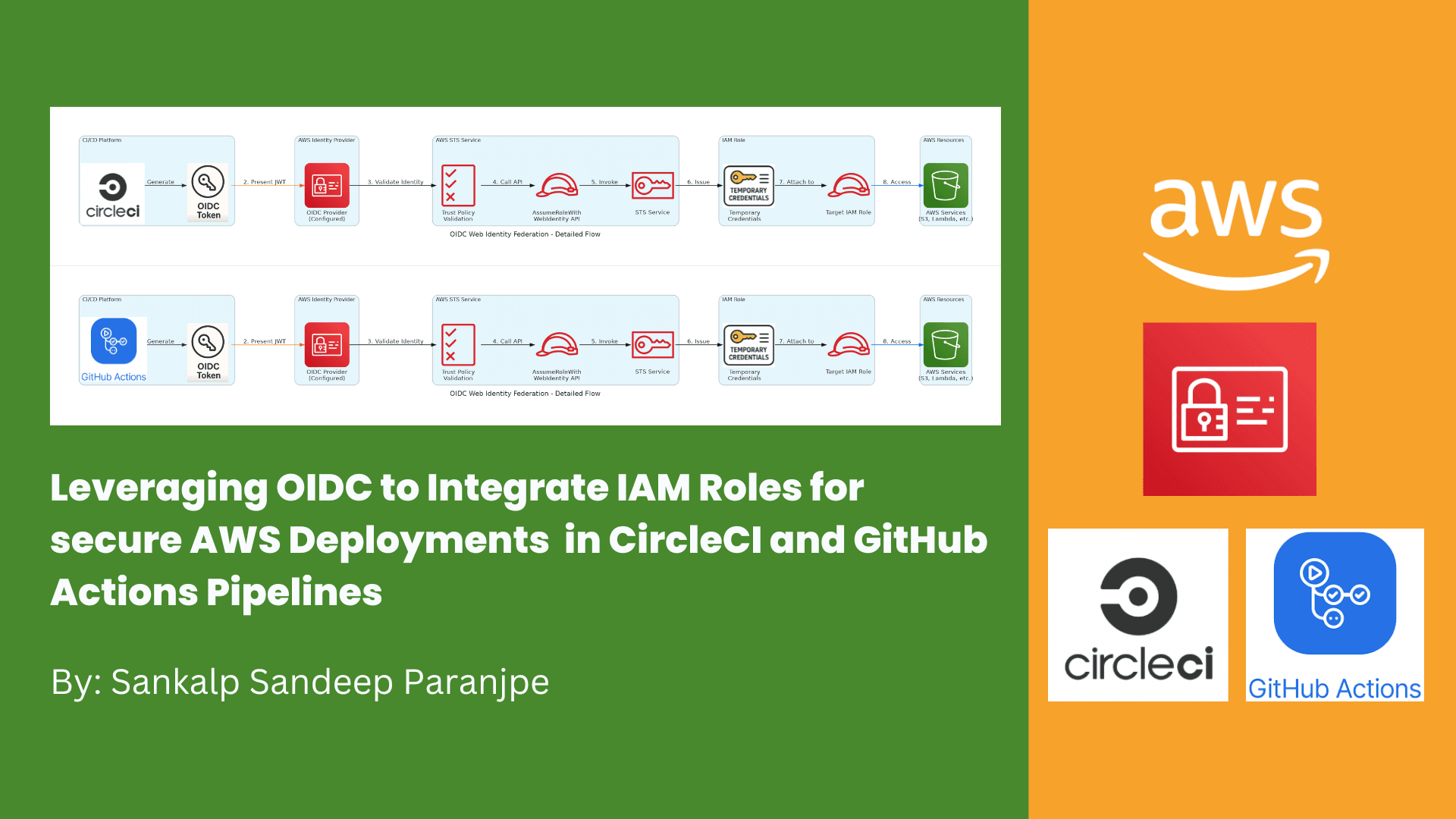
OIDC is an authentication protocol based on OAuth 2.0 that issues JSON Web Tokens (JWTs), which can prove the identity of a user or service. In this setup, our CI/CD provider acts as an OIDC identity provider (IdP). You configure AWS IAM to trust tokens issued by this IdP by creating an IAM OIDC identity provider resource.
When a pipeline job runs, it requests a token from its OIDC provider and then uses the AWS Security Token Service (STS) API AssumeRoleWithWebIdentity to exchange that token for temporary AWS credentials attached to an IAM role. This role has policies defining exactly what the pipeline is allowed to do.
Following are the advantages of it:
No need to store or rotate permanent AWS credentials
Permissions granted are scoped to IAM role policies supporting least privilege
Tokens are short-lived and automatically expire, reducing risk of misuse
AWS CloudTrail logs token assumptions for audit and compliance
Configuring OIDC with AWS involves:
Registering your CI/CD system as an OIDC IdP in AWS IAM
Creating IAM roles with trust policies that allow the IdP to assume the roles under specific token claim conditions like repository name or branch
Using the OIDC tokens in pipeline jobs to dynamically assume these roles
This approach enhances security and operational control when managing AWS deployments via automated pipelines.

Let’s dive in the process.
We will have to create a repo for this blog. First let’s start with Circle CI.
Let’s create OIDC Provider in AWS IAM
Go to AWS IAM and on left side, select Identity Providers.
Set the provider URL to:
https://oidc.circleci.com/org/<your-org-id>
The audience (client_id_list) is your CircleCI organization ID.


Now, we can create an AWS IAM Role. Let’s attach S3 Full Access to it, but in the real world, it should be required permissions with least privilege only.


We will create a .circleci folder and config.yaml file.

You can also use circle ci environment variable to keep your IAM role and then reference it in the pipeline
As of now in this blog, we will just we checking if the pipeline is able to list the buckets for not? You can later add any of your deployment steps.
Now lets go to the CircleCI Console and Setup our project there.

Now, let’s send push your config.yml file to GitHub.
We will now see the execution of the job in CircleCI Console


Hence, we were successfully able to use IAM Role for access AWS Services from CircleCI pipeline.
Now, let’s do a similar process for GitHub Actions.
In the AWS Console, go to IAM, on left side, click, Identity Providers.
Create a new provider:
Provider Type: OpenID Connect
Provider URL: https://token.actions.githubusercontent.com
Audience: sts.amazonaws.com


Now, let’s create an IAM Role.

You can also add repo name and branch name.

Now, let’s write our Github action.

Now, let’s push the code to GitHub. Since we have used “On Push” , it will run automatically. GitHub Actions will request an OIDC token, and assume the IAM role with scoped permissions.

This process eliminates the need for static AWS keys in GitHub Secrets and enhances your pipeline security by leveraging short-lived, automatically rotated credentials issued via OIDC.
Thanks,
Sankalp Sandeep Paranjpe
https://www.sankalpparanjpe.in/